Custom Scripts for Competitor Backlink Analysis
Automate competitor backlink collection, filter low-quality links, find link gaps, and monitor new/lost backlinks with Python or Apps Script.

Last Updated on October 9, 2026 by Becky Halls
Want to streamline competitor backlink analysis? Custom scripts can save you hours by automating data collection, filtering, and analysis. Instead of manually sifting through spreadsheets or paying for expensive SEO tools, you can use Python or Google Apps Script to identify high-quality link opportunities in seconds. Here’s what you can achieve:
- Spot link gaps: Find websites linking to competitors but not to you.
- Filter low-quality links: Exclude spammy domains or links with low authority.
- Track competitor activity: Monitor new and lost backlinks in real-time.
- Save money: Replicate premium SEO tool features with affordable API access.
Use This Powerful SEO Competitor Analysis Automation To Out Rank Competitors
sbb-itb-88880ed
Setting Up for Custom Backlink Analysis
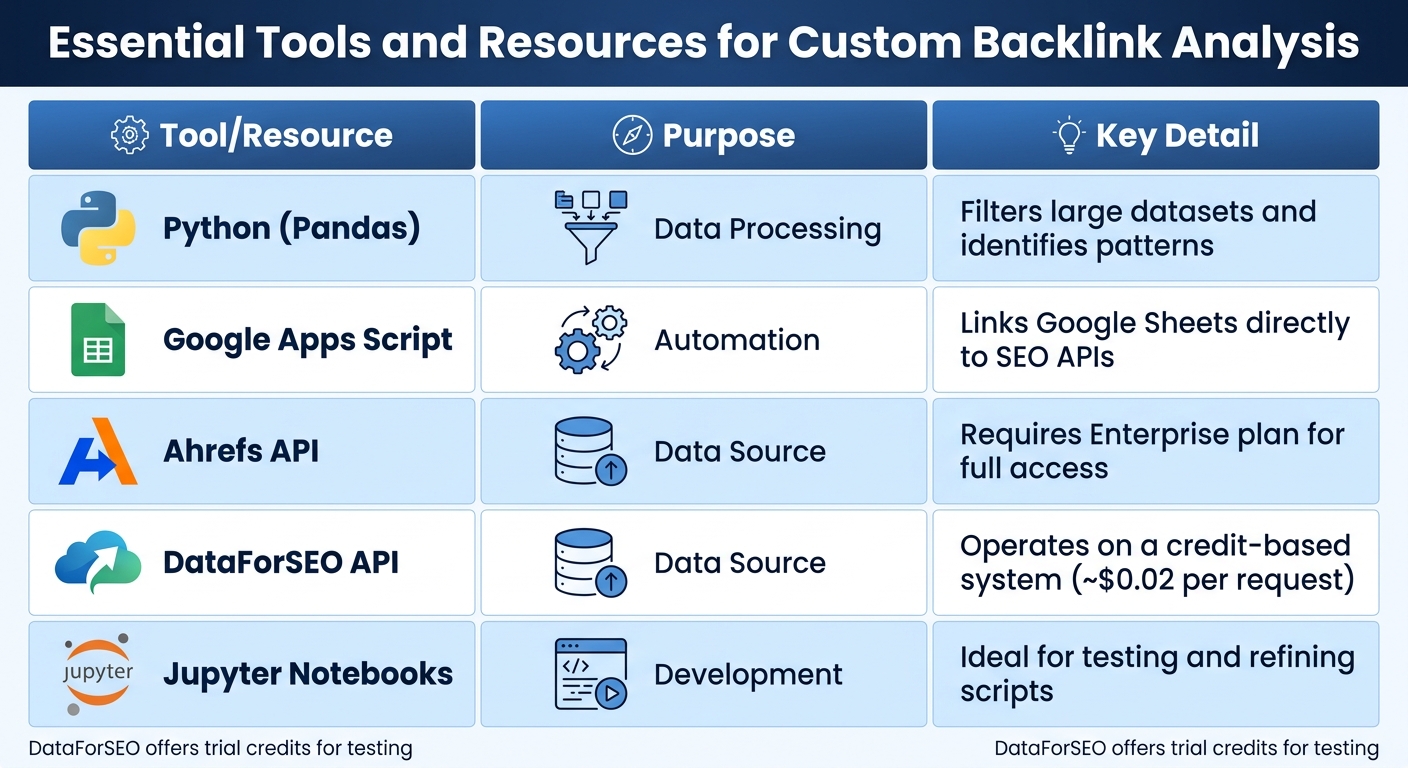
Essential Tools and Resources for Custom Backlink Analysis
Start by gathering the necessary tools, securing API access, and organizing your workspace to streamline the process.
Required Tools and Resources
To handle large datasets and integrate with SEO APIs, Python is your best bet. Pair it with Jupyter Notebook for interactive testing and refining your analysis. For data processing, the pandas library is indispensable – it can quickly sift through thousands of backlinks. You’ll also need requests for API communication, numpy for numerical tasks, and openpyxl for managing Excel files. To install these libraries, run:
pip install requests pandas matplotlib seaborn If you prefer working in Google Sheets, Google Apps Script is a great option for automating tasks. For testing APIs before full integration, Postman helps ensure your requests return the correct JSON structure.
When it comes to sourcing backlink data, platforms like Ahrefs and DataForSEO are excellent choices. Keep in mind that Ahrefs typically requires an Enterprise plan for API access, while DataForSEO uses a credit-based system, costing around $0.02 per backlink summary request (trial credits are available).
| Tool/Resource | Purpose | Key Detail |
|---|---|---|
| Python (Pandas) | Data Processing | Filters large datasets and identifies patterns |
| Google Apps Script | Automation | Links Google Sheets directly to SEO APIs |
| Ahrefs API | Data Source | Requires Enterprise plan for full access |
| DataForSEO API | Data Source | Operates on a credit-based system for summaries |
| Jupyter Notebooks | Development | Ideal for testing and refining scripts |
Once your tools are ready, the next step is configuring your API access.
Configuring APIs for Backlink Data
Each API has its own authentication method. For example, Ahrefs uses a Bearer Token, while DataForSEO requires Basic Authentication, which involves encoding your “username:password” string in Base64 format. Include this encoded string in the Authorization header of your HTTP requests.
To keep your API keys secure, store them in a .env file or environment variables instead of embedding them directly in your code. Additionally, wrap your API calls in try-except blocks to handle issues like timeouts or invalid responses gracefully.
Most APIs enforce rate limits, so use time.sleep() to pause between requests or explore asynchronous methods to stay within these limits. Optimize your API calls by applying filters – such as requesting only follow and nofollow links or links with a minimum Domain Rating – directly in the request. This reduces processing time and conserves API credits.
When loading data from Ahrefs exports into Python, specify the correct encoding (e.g., pd.read_csv(file, encoding='UTF-16')) to avoid errors.
With your API access secured, the next step is to organize your workspace for smooth data handling.
Organizing Your Workspace
A tidy and well-organized workspace can save you hours of debugging. Set up a dedicated folder for CSV exports, or create a standardized Google Sheets template with predefined columns for key metrics like Domain Rank, Spam Score, and Referring Domains.
For instance, Antonio Blago developed a backlink tool using DataForSEO APIs and Google Sheets. He designed a template with input columns for “Domain” and “Target” and output columns for essential metrics. A “Fetch Data” button, powered by Apps Script, allowed him to trigger analysis directly within the spreadsheet.
If your workflow is more complex, consider automation platforms like n8n to handle tasks like data reformatting and logging between APIs and Google Sheets. Tools like Visual Studio Code or Jupyter Notebook are excellent for writing and debugging scripts, while Postman can help test API endpoints to ensure everything runs smoothly.
With a solid foundation in place, you’ll be ready to dive into competitor backlink analysis using custom scripts efficiently and effectively.
Writing and Running Your Backlink Analysis Script
Now that your environment is set up, it’s time to create a script that collects competitor backlink data and turns it into actionable insights.
Retrieving Backlink Data from APIs
Start by importing the necessary libraries: requests for making API calls, pandas for handling data, and urllib.parse for extracting domains. If you’re using the Ahrefs API (typically available with an Enterprise plan), include a Bearer Token in the Authorization header to authenticate your requests. For users on lower-tier plans, like Ahrefs Lite, you can work with bulk CSV exports instead.
Your script should take competitor domain names as input and retrieve essential metrics like referring domains, anchor text, and link types. Use requests.get() to call the API and parse the JSON response into a pandas DataFrame. If you’re working with CSV files, load them with pd.read_csv() and clean the column names – convert them to lowercase and replace spaces or dots with underscores for easier handling in Python. Once the data is ready, refine and analyze it for deeper insights.
Processing and Analyzing Backlink Data
After gathering the raw data, focus on extracting and refining key domains. Use urlparse(url).netloc to isolate unique domains and avoid duplicate counts when multiple pages from the same site link to your competitors. Filter out low-quality links by excluding those with Domain Rating (DR) scores under 50 and removing “redirect” link types, as they don’t pass authority.
Create a pivot table with referring domains as rows and competitor names as columns. Replace missing values with zeros using .fillna(0), making it easier to pinpoint “link gaps” – domains that link to your competitors but not to you. Maintain a “discard list” of spammy domains, and use .str.contains() to filter out links with suspicious keywords like “casino” or “viagra” in their anchor text or URLs.
Creating Data Visualizations
Once your data is processed, visualizations can reveal patterns quickly. Use Python libraries like matplotlib and seaborn to create bar charts showing the top 20 anchor texts used by competitors. This helps you identify whether they rely on branded terms or exact-match keywords. Heatmaps can segment backlinks by Domain Rating ranges (e.g., 0–20, 21–40, etc.), giving you a clearer picture of a competitor’s link authority profile.
For reporting, export your analysis with pd.ExcelWriter to create a multi-sheet Excel file. Add conditional formatting and auto-filters to highlight high-DR domains that link to several competitors but not to you. These domains are your prime outreach targets. When presenting to stakeholders, focus on the pivot table view to showcase areas where competitors have an edge you can address.
“This Python script saves hours of manual work by automatically comparing multiple competitor backlink profiles to find link building opportunities your competitors have that you don’t.” – Trutz Fries, Founder, AMALYTIX
Adding Advanced Features to Your Scripts
Take your backlink analysis to the next level by adding advanced features that provide deeper insights and automate monitoring. These upgrades transform your script from a one-off analysis tool into a dynamic resource for ongoing competitive intelligence.
Link Gap Analysis
Link gap analysis helps pinpoint valuable domains that link to your competitors but not to you. By using a pivot table, you can identify domains that link exclusively to competitors – look for rows where your site has zero links, but competitors have one or more. For example, a Python script comparing ConvertKit.com to its competitors successfully highlighted high-authority domains (Domain Rating, or DR, above 50) linking to competitors but not to ConvertKit.
To prioritize targets, score domains based on the number of competitor links and their authority metrics. Domains linking to all competitors and boasting high DR scores should be your top priorities. On the other hand, domains linking to only one competitor can be addressed later. Set thresholds like a DR above 50 or monthly traffic exceeding 1,000 visitors to filter out low-quality prospects early. For niche content, adjust your script to perform page-level intersections instead of domain-level ones. This helps you uncover links that are highly relevant to specific articles.
Filtering Out Spam Links
To keep your data clean and actionable, filter out low-quality backlinks. Exclude domains with less than 3,000 monthly sessions, as this represents the median for an average website. Use metrics like Domain Trust (DT) or similar authority scores, setting a minimum threshold between 30 and 40 to ensure credibility.
“If backlinks outnumber referring domains, this might mean one site links to it hundreds of times, which can mean they were using shady SEO practices.” – Anastasia Kotsiubynska, Head of SEO at SE Ranking
Incorporate checks for the backlink-to-domain ratio in your script. A significant imbalance, where backlinks far exceed referring domains, often signals manipulative link-building tactics. Keep an eye on traffic trends as well – a sharp decline could indicate a Google penalty. Add keyword exclusion filters to flag suspicious anchor texts, such as “casino” or “viagra”, and prioritize backlinks found in main content over those buried in footers or sidebars.
Setting Up Automated Alerts for New Backlinks
Real-time monitoring enables you to respond quickly when competitors gain new backlinks. Leverage SEO APIs like Ahrefs or DataForSEO to programmatically retrieve “New Backlinks” data for competitor URLs. Using Google Apps Script, you can create custom JavaScript functions that fetch API data and update a Google Sheet automatically with time-based triggers running every 24 hours.
Set up alerts for new backlinks with daily or weekly intervals. For highly competitive keywords, focus on monitoring specific top-ranking URLs rather than just your competitor’s homepage. This approach helps you identify immediate link opportunities. Add filtering thresholds to your automation to avoid alerts for low-quality domains (e.g., those with less than 3,000 monthly sessions). You can also monitor “Lost backlinks” to spot opportunities for reclaiming links when competitors lose them.
Using 3Way.Social with Custom Scripts
Once your custom scripts pinpoint high-value link opportunities, the next step is turning those insights into actionable backlinks efficiently and safely. By integrating advanced script capabilities with 3Way.Social, you can bridge the gap between competitive analysis and link-building execution. This tool pairs AI-powered matching with permanent do-follow links, making it a perfect fit for leveraging your script-driven data to strengthen your backlink profile.
AI-Powered Domain Matching
Custom scripts are great at identifying link gaps – domains that link to your competitors but not to you. 3Way.Social takes this data a step further by using AI to match your site with relevant partners in your niche. The platform evaluates metrics like Domain Rating (DR) from Ahrefs, organic monthly traffic, and Spam Score to calculate a fair link value.
To make the most of this integration, filter your competitor backlink lists using Python libraries like Pandas. Target domains with a DR above 50 to streamline the matching process within 3Way.Social. The workflow is simple: use API methods to pull competitor backlink data in JSON format, then organize it programmatically for AI processing.
Consider this: Serpstat estimates that using API technology for backlink analysis can save SEO professionals around 23 hours per month – that’s 276 hours a year. Additionally, your script can perform a “Links Intersection” analysis, identifying domains that link to multiple competitors but not your site. This targeted approach ensures you’re focusing on the most impactful opportunities.
Securing Permanent Do-Follow Links
3Way.Social provides ongoing backlink monitoring to ensure all secured backlinks remain live and active. If a link disappears, the platform either restores it or refunds your credits, making the process risk-free. This is especially helpful when your script identifies high-value domains, allowing you to invest your credits with confidence.
“All backlinks are monitored to ensure they remain live. If a link is removed, we will restore it or refund your credits.” – 3Way.Social Help Center
The pricing model is transparent, with Credit Value determined by metrics like DR, traffic, and Spam Score. For example, a domain with a DR of 74 and 38,000 monthly visitors might cost 133 credits. When your script flags a competitor backlink from such a domain, you can easily assess whether pursuing it through 3Way.Social aligns with your SEO goals and budget. This monitoring system pairs perfectly with automated link-gap detection, ensuring every opportunity is backed by reliability.
Connecting 3Way.Social with Your Custom Scripts
To streamline the process, automate the connection between your scripts and link-building efforts. Use tools like Google Apps Script or Python to extract competitor backlink data from APIs like DataForSEO or Ahrefs and load it into a spreadsheet. Apply filters, such as a minimum traffic threshold (e.g., 3,000–5,000 monthly visitors) and a Domain Rating of 30+, to ensure you’re targeting high-value opportunities. Automated API tools can filter out over 95% of low-quality domains.
For compatibility with AI-driven tools, format your data in JSON. Python libraries like Matplotlib or FPDF can help you create automated summaries of link gaps, making it easier to identify matching opportunities on 3Way.Social. Segment your data by attributes like “dofollow” and “nofollow” to focus on authority-passing links. This targeted approach transforms raw data into a prioritized action list, saving you time while maximizing the impact of each secured backlink.
Conclusion
Benefits of Custom Backlink Analysis
Custom scripts make backlink analysis faster and more efficient by automating what used to be a tedious, manual task. With these tools, you can generate complete backlink profiles in seconds, even when working with large datasets. This lets you uncover link-building opportunities without the hassle of analyzing websites one by one.
Another key advantage is the ability to filter out low-quality links automatically. By setting thresholds for metrics like traffic and domain authority, scripts help you focus only on valuable links. They also allow you to monitor competitors’ backlinks in real time, keeping you informed about their new and lost links. This proactive approach means you can quickly adapt to their successful outreach efforts. Anastasia Kotsiubynska, Head of SEO at SE Ranking, explains:
“Analyzing what your competitors do saves resources because you can learn from other people’s mistakes and successes”.
Perhaps the most impactful benefit is identifying link gaps. These scripts can highlight domains that link to several of your competitors but not to you, marking them as prime outreach targets. By narrowing your focus to these high-potential opportunities, you eliminate the trial-and-error process often associated with manual analysis.
These tools set the stage for a more streamlined and effective backlink strategy, which we’ll explore further in the next section.
Getting Started
To kick off your competitive backlink strategy, begin by identifying 3–5 competitors who rank well for your target keywords. Use tools like Python or Google Apps Script to extract and process their backlink data. Apply filters to weed out low-value links – exclude domains with a Domain Rating below 25 or monthly traffic under 1,000. This ensures you’re targeting only high-quality prospects.
Once your analysis uncovers promising opportunities, platforms like 3Way.Social can turn these insights into actionable backlinks. Using AI-powered domain matching, they help secure permanent do-follow links from relevant sites. Combining automated analysis with strategic execution streamlines the process, saving you time and boosting the effectiveness of every link you acquire.
FAQs
Which backlink metrics matter most for finding good link gaps?
To identify link gaps effectively, focus on these key backlink metrics:
- Domain authority: This indicates the strength and credibility of a linking domain, which can impact your site’s ranking potential.
- Relevance: Links from sites closely related to your niche carry more weight and are more beneficial for SEO.
- Traffic: High-traffic linking sites can drive more visitors to your website and enhance visibility.
- Backlink diversity: A healthy mix of dofollow and nofollow links ensures a natural backlink profile and supports long-term SEO growth.
These metrics provide a clear picture of backlink quality and their potential influence on your SEO efforts.
How do I avoid blowing through API rate limits and credits?
To avoid hitting API rate limits or running out of credits during competitor backlink analysis, it’s all about smart planning. Start by spacing out retries using methods like exponential backoff, which gradually increases the time between retries after a failed request. Regularly check your API quota to keep tabs on usage and adjust the frequency of your requests as needed.
You can also streamline data collection by batching requests and scheduling them during off-peak hours. This approach not only helps you stay within limits but also conserves credits, ensuring your analysis runs smoothly without interruptions.
What’s the simplest way to automate alerts for new competitor backlinks?
The simplest approach to keep tabs on new competitor backlinks is by using tools like Ahrefs to set up automated alerts. Just add your competitors’ most important pages – like their homepages or top-ranking content – choose the ‘New backlinks’ option, and set how often you want to be notified. You’ll get timely email updates, making it easier to monitor and evaluate your competitors’ link-building efforts.