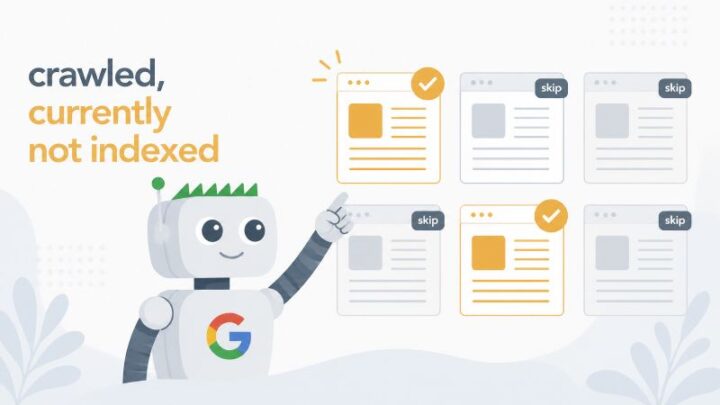
Log file analysis: what Googlebot actually does on your site
Last Updated on November 23, 2026 by Becky Halls
There’s a core update rolling out as I write this. Google confirmed the November 2026 core update on 10 November, and it may run up to two weeks, straight into Black Friday. Half the industry is refreshing Search Console hourly but i’d rather look at my server logs.
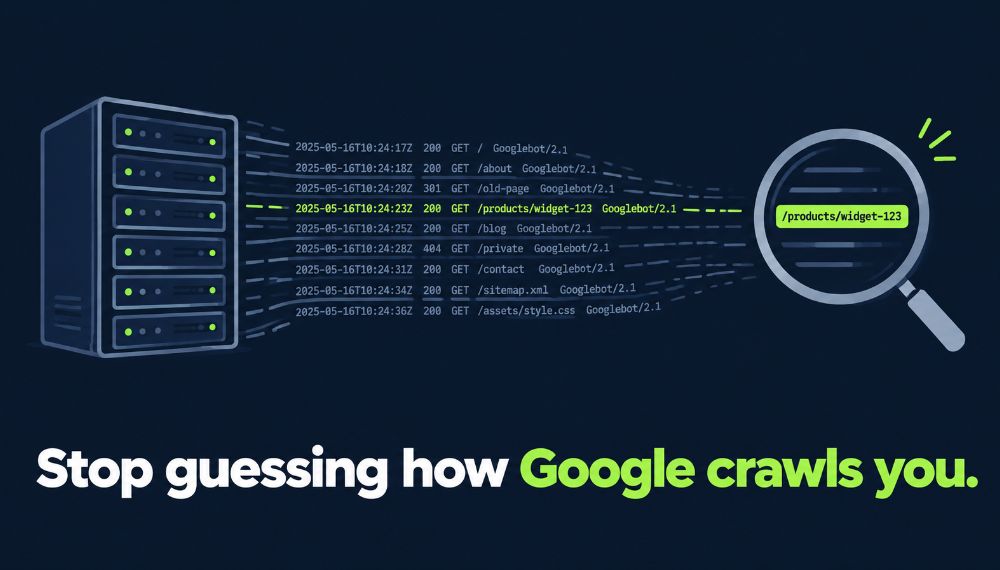
Because log file analysis tells you something no update announcement will: what Googlebot is actually doing on your site. Which pages it crawls, how often, what it hits, what it ignores. Most SEO tools guess at that but your logs record it.
What log files actually are
Every time anything visits your site, a human or a bot, your server writes a line about it. The IP address, the time, the URL requested, the status code it got back, which user agent asked. Stack those lines up and you’ve got the most honest record of your site that exists.
A single line looks like gibberish and there are literally thousands of them. When they become filtered and sorted, they tell you a story your dashboards can’t.
Why this matters more in 2026
Here’s the bit that changed recently and that most people haven’t clocked. In July 2026, Google rewrote its crawl budget documentation and confirmed that all of its crawlers, including the ones fetching pages for AI answers, draw from a single shared crawl-capacity limit per site.
Read that again, because it’s a real shift. Google’s indexing crawl and its AI grounding fetches now compete for the same ceiling on your site. If Googlebot is burning that budget on junk URLs, it’s not just your rankings that suffer. It’s whether your good pages get seen at all, by search and by AI. Logs are where you catch that happening.
Do you even need this?
Honest answer: maybe not, if you’re tiny. Google’s own guidance is that crawl-budget work is really aimed at sites with over a million pages that change weekly, or over 10,000 pages that change daily. Gary Illyes reconfirmed the threshold on Google’s own podcast, saying simply, “I would say 1 million is okay probably.”
So if you run a 40-page site, crawl budget isn’t your problem and you can skip the log work.
But I think that threshold gets quoted too cleanly. Crawl waste shows up on medium sites too. A 2,000-product ecommerce shop with faceted navigation can generate tens of thousands of filter URLs, and Googlebot will happily crawl every pointless combination of colour and size while your new category pages wait. You don’t need a million pages to have a mess. You need parameters and filters, which is most real sites.
What logs show that your tools can’t
Helen Pollitt, Head of SEO at Getty Images, put it well when she was asked what log data reveals that other tools don’t. Crawlers and consoles get you partway, she wrote, but they “will never give you the full picture.” That’s the crux of it – Here’s the full picture logs give you.
Crawl waste. You see exactly which low-value URLs are eating crawl time. Parameter URLs, infinite filter combinations, old paginated pages. The stuff you want Google ignoring.
Orphan pages. Googlebot sometimes knows about an orphan page through an external link that your site doesn’t link to internally. A crawl tool, which follows your internal links, will never find it. Your logs will.
The real status code. This one catches people out. The status a crawl tool reports isn’t always the status Googlebot actually receives. If a page is quietly serving a different code to bots, logs are the only place you’ll see it with certainty.
Spoofed bots. Plenty of traffic claims to be Googlebot and isn’t. By checking the IP against Google’s published ranges, you can tell the real crawler from a scraper wearing its name. Useful for your dev team, and for not blocking the genuine bot by accident.
How to actually do a log file analysis
You don’t need to become a sysadmin. The workflow is simpler than it looks.
1. Get 30 days of logs
Thirty days is the minimum useful window. It captures weekly patterns and enough crawl frequency to spot trends. You’ll probably need to ask your dev team or hosting provider, and if you’re agency-side, be ready to handle the files carefully because they contain IP addresses and fall under GDPR.
2. Filter down to Googlebot
Strip out human traffic and other bots first. You only care about search crawlers for this.
3. Verify the IPs
Before you trust a single “Googlebot” line, check the IP against Google’s official ranges. Skip this and spoofed bots will poison your whole analysis.
4. Look for the waste and the gaps
Sort by URL and by frequency. Which sections get hammered? Which priority pages barely get touched? Are your most important money pages being crawled as often as some junk parameter URL? That gap is your to-do list.
5. Use a tool so you’re not reading raw text
Screaming Frog’s Log File Analyser is free up to a 1GB file, which covers a lot of smaller sites. For bigger operations there’s Botify, JetOctopus and others that stream logs continuously. Start free, upgrade only if your logs outgrow it.
“People spend weeks tuning content and never once check whether Google is actually crawling the pages they changed. Logs answer that in an afternoon. The first time you see Googlebot spending half its visits on filter URLs nobody should ever land on, you stop guessing and start fixing the right thing.” Peter Fox, Head of Dev at 3Way.Social
What to fix first
Don’t try to boil the ocean. Once you’ve got the picture, go in this order: block or noindex the obvious junk URLs eating crawl time, fix any priority page returning the wrong status to bots, add internal links to the orphan pages worth keeping, and retire the legacy URLs that should’ve died in your last migration. Then pull logs again in a month and check whether Googlebot moved its attention where you wanted it. That before-and-after is the whole point.
Log File analysis – FAQ
How often should I do log file analysis?
For most sites, a proper review once or twice a year, plus a check after any big technical change like a migration or a redesign. Large, fast-changing sites benefit from continuous monitoring.
Can’t Search Console tell me the same thing?
Partly. The Crawl Stats report is useful, but it’s aggregated and sampled, so you can’t always drill into the specific pages you care about. It also only covers Google’s bots. Logs show every bot and every request.
My site is small. Is this a waste of time?
If you’ve got a few hundred clean pages and they get indexed fine, yes, skip it. If you’ve got filters, parameters, faceted navigation or a history of indexing problems, it’s worth a look whatever your size.
Does crawl waste affect AI visibility now?
It can. Since Google’s crawlers share one capacity limit per site, budget wasted on junk URLs is budget not spent on the pages you’d want surfaced in search and in AI answers. Cleaning up crawl waste helps both.
What’s the single biggest thing logs reveal?
For me, it’s the gap between what you think Google crawls and what it actually crawls. That gap is almost always bigger than people expect, and it’s where the quick wins hide.
Peter Fox is Head of Dev Team at 3way.social, focusing on technical SEO, site performance and crawlability.